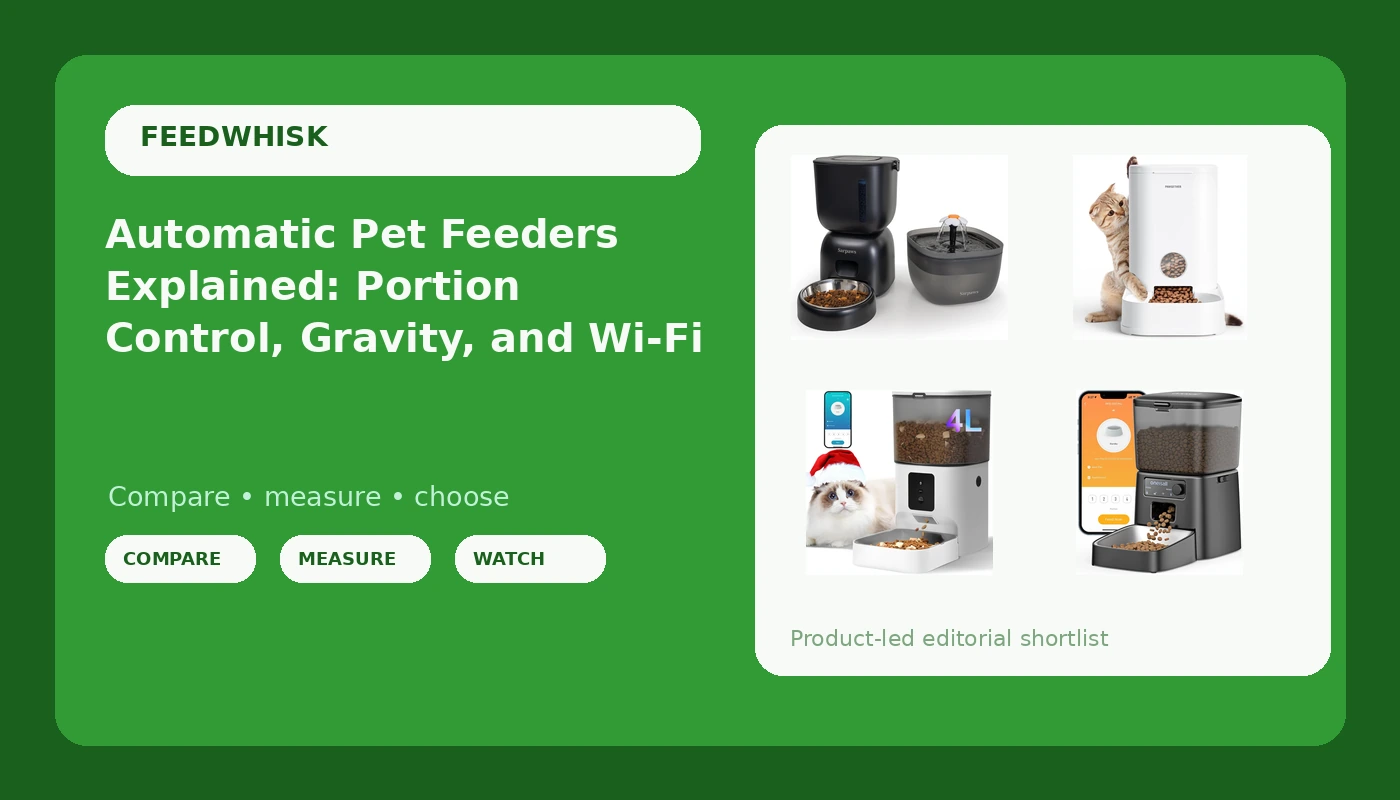
Automatic pet feeders look like one product category and behave like two. Gravity models refill a bowl from a reservoir with no electricity and no schedule, while timed models meter a measured portion at a set hour and increasingly rely on an app. The mistake I see in client homes is almost never a bad device; it is the right device matched to the wrong animal. A cat that grazes all day does fine with a gravity bowl. A dog that inhales a full day of kibble in ninety seconds does not, and no amount of "anti-jam" marketing fixes that. This guide covers four current automatic pet feeders, what each one is actually built to do, and the questions worth asking before one comes home.
Related: Cat Water Fountains: What Actually Gets Cats Drinking →
Quick answer
If your pet needs measured meals, choose a timed feeder with programmable portion control. If your pet grazes and you only want the bowl to stay full, a gravity feeder does that job with no power, no app, and nothing to program. The four units here split along that line: three timed or programmable feeders with different capacities, meal counts, and connectivity, and one no-electricity gravity model. The deciding factors are whether your pet needs portion control, whether an outlet is available where the bowl lives, and whether you want to schedule meals from a phone or from buttons on the device.
Four useful options
| Model | Best fit | What stands out |
|---|---|---|
| Automatic Cat Feeder and Water Dispenser FW1, Wire or Battery Cat Food Dispenser Timer Pet Feeder - Locking Lid, Desiccant Bag, Programmable Portion Control, 4 Daily Meals, 10s Voice Recorder | Households that want one station to cover food and water | Runs on wire or batteries, locking lid, desiccant bag, programmable portions, up to 4 meals per day, 10 second voice recorder |
| PAWGETHER® Gravity Cat Feeder, 1 Gallon/3.5L Dog Food Dispenser, No-Electricity Automatic Pet Feeder, Auto Refill Food Bowl for Cats & Small, Medium Dogs Easy to Fill | Grazers and self-regulating pets, with no outlet nearby | 1 gallon / 3.5L reservoir, no electricity required, refills the bowl by gravity |
| ANDOLL HOME 2.4G Automatic Cat Feeder, 4L WiFi Food Dispenser with 10s Voice Recorder, Pet Feeder up to 10 Meals per Day, Timed Cat Feeder with Dry Food Sealed Ring | Owners who want many scheduled meals and app control | 4L hopper, 2.4G Wi-Fi scheduling, up to 10 meals per day, 10 second voice recorder, sealed ring on the food path |
| oneisall 2.4 GHz Wi-Fi Automatic Cat Feeder, 3.5L/15 Cups | Smaller households and apartments where a compact hopper is enough | 3.5L / 15 cup capacity, 2.4 GHz Wi-Fi scheduling |
Combo unit: Automatic Cat Feeder and Water Dispenser FW1
The two details I look at first on any hopper are both here: a locking lid and a desiccant bag. A lid a determined cat can flip open turns a timed feeder into a free buffet, and a desiccant bag is what keeps kibble from going soft in coastal humidity. Four meals a day covers a standard twice-daily routine with room for a midday or late feeding, and the 10 second voice recorder lets your pet hear your voice at the bowl, which genuinely helps anxious animals settle into a schedule. The trade-off is scheduling flexibility. Four meals per day is fewer slots than the Wi-Fi units below, and pairing a water reservoir with the food side means the unit needs a spot that works for both, ideally near an outlet if you are not running on batteries.
No-power option: PAWGETHER® Gravity Cat Feeder, 1 Gallon/3.5L Dog Food Dispenser, No-Electricity Automatic Pet Feeder, Auto Refill Food Bowl for Cats & Small, Medium Dogs Easy to Fill
Gravity feeders are the oldest and simplest design in this category, and the failure mode is almost always the animal rather than the device. For a cat that nibbles through the day, or a small to medium dog that genuinely self-regulates, a reservoir that tops the bowl up by gravity is all you need. For a speed eater, it is the wrong tool: the bowl refills as fast as gravity allows, and a pet that eats without stopping will keep going until the reservoir is empty. There is also a structural question. A gravity feeder is a tall object with a high center of gravity, so a pet that leans on it, body-slams it, or drags it across the floor can tip it. Placement against a wall in a corner solves most of that. What I like about this style is the maintenance reality: nothing to pair, nothing to charge, nothing to update. A wide opening you can refill without a funnel is the difference between a feeder you keep filled and one you quietly stop using.
Multi-meal Wi-Fi option: ANDOLL HOME 2.4G Automatic Cat Feeder, 4L WiFi Food Dispenser with 10s Voice Recorder, Pet Feeder up to 10 Meals per Day, Timed Cat Feeder with Dry Food Sealed Ring
Ten meals a day sounds like overkill until you have a pet that needs small, frequent portions, a cat recovering from a diet change, or a household where two people want to split the feeding without negotiating. A 4 liter hopper is also the largest capacity in this group, which translates into fewer refills and less time with the lid open. The sealed ring matters more than the app does. The app is a feature; the dispense path is the product, and anything that keeps air, dust, and pantry moths out of the kibble is doing real work. Two practical notes on Wi-Fi feeders generally. The 2.4G band is the one most pet devices use, so if your router splits bands, check that the 2.4G network is the one your phone joins during setup. And before you buy any connected feeder, find out whether the schedule lives on the device or in the cloud, because that answer determines what happens on the day your internet goes down.
Compact Wi-Fi option: oneisall 2.4 GHz Wi-Fi Automatic Cat Feeder, 3.5L/15 Cups
Capacity is the least glamorous spec on a feeder and the one that decides whether you actually keep up with it. At 3.5 liters, this unit holds roughly the same volume as the gravity feeder above, but it meters that food out on a schedule instead of releasing it into a bowl. That makes it a reasonable middle path for a single cat in an apartment, where a 4 liter hopper is more counter or floor space than the routine needs. If you have two cats or a medium dog, do the math on daily intake before choosing a size, because a hopper you refill every other day is a hopper you will resent. The same Wi-Fi caveats apply here: 2.4 GHz only, and app control is worth nothing if the device itself will not hold a schedule when the network is unavailable. Ask that question before you buy, not after the first dropped connection.
Prices and availability may change. Product images, names, and retailer links must be matched by verified ASIN. Do not state a current price, rating, stock status, or measured result without current evidence.
Gravity feeders and timed feeders solve different problems
The single most useful distinction in this category is whether a feeder measures or merely refills. A gravity feeder is a reservoir sitting over a bowl, connected by an opening that lets kibble fall as the bowl empties. It has no motor, no clock, and no portion setting. Whatever your pet eats, gravity replaces, which means the animal sets the pace. That is ideal for a grazer and unsuitable for a pet that will not stop. It also means the food sits exposed in the bowl, so the reservoir needs to be reasonably airtight and the bowl needs to be emptied and washed on a regular schedule.
A timed feeder does the opposite: you define the portion and the hour, and the device delivers it whether or not your pet is hungry. The mechanism inside is usually either a portion wheel, a rotating compartment that drops a fixed volume per cycle, or an auger, a screw that pushes kibble toward an opening. Portion wheels are simpler and generally more consistent at small volumes. Augers handle larger volumes and longer distances but are the part that jams when kibble is the wrong size, when crumbs build up, or when tolerances are loose. This is why the auger deserves more of your attention than the app. If the dispense mechanism fails, the Wi-Fi, the voice recorder, and the feeding history chart are all decoration.
The other distinction worth knowing is power. Timed feeders run on wall power, batteries, or both. A unit that runs on batteries alone keeps feeding through an outage but burns through cells faster; a unit on wall power with battery backup is the common compromise. If a missed meal has medical consequences in your house, which is true for diabetic cats on insulin schedules, that backup question stops being a convenience feature and becomes the spec that matters most.
How to read a feeder spec sheet
Manufacturers list capacity in liters, cups, or both, and the two do not always line up the way you expect. One liter is roughly four cups of kibble by volume, which is why a 3.5 liter hopper is often described as 15 cups. Compare that number to what your pet actually eats per day, not to what sounds generous.
Then work through the rest of the list in this order:
- Meals per day. Match the slot count to your real routine. Four meals covers a twice-daily schedule with room to spare; ten meals is for pets that need small, frequent portions.
- Portion range. Check the smallest portion the device can dispense, not just the largest. Small pets and dieting cats need fine control at the low end.
- Sealing and lid security. A sealed ring, a desiccant bag, and a lid that locks are what keep kibble fresh and keep a clever pet out of the hopper.
- Power and backup. Decide whether an outage can be allowed to skip a meal, then buy accordingly.
- Connectivity, if any. Confirm the Wi-Fi band and find out whether the schedule is stored on the device or only in an app.
Setting up and living with a feeder
- Introduce the feeder while you are home for a few days, so you can see whether your pet accepts it before it becomes the only food source.
- Weigh a few dispensed portions on a kitchen scale at the start. It is the only way to know what your device actually delivers versus what the display claims.
- Keep kibble size within the range the feeder was designed for. Crumbly or oversized food is the most common cause of a jammed dispense path.
- Wash the bowl and the food path on a weekly schedule, and replace desiccant bags as directed. Kibble oils go rancid and leave residue that gums up wheels.
- Place gravity feeders against a wall or in a corner, and keep any feeder out of reach of a pet that has learned to tip, drag, or body-slam it.
- For multi-pet homes, remember that a timed feeder drops food into a shared bowl. If one pet guards the bowl, a scheduled feeder will not fix that.
Which option should you choose?
Choose the Automatic Cat Feeder and Water Dispenser FW1 when you want one station to handle food and water, you like the idea of a locking lid and a desiccant bag, and four meals a day covers your routine. Choose the PAWGETHER® Gravity Cat Feeder when your pet grazes, there is no outlet near the feeding spot, and you want zero setup, zero pairing, and zero updates. Choose the ANDOLL HOME 2.4G Automatic Cat Feeder when you need the largest hopper here, the most scheduling slots, and app control with a sealed food path. Choose the oneisall 2.4 GHz Wi-Fi Automatic Cat Feeder when you want Wi-Fi scheduling in a smaller footprint and a 3.5 liter hopper is enough for your household.
One caveat that applies to all four: the details above come from the manufacturers' own product descriptions, not from independent measurement. Capacity figures, meal counts, and portion ranges are claims to verify against your pet's actual intake, and the only reliable check is to weigh what comes out of the device in your own kitchen.
The bottom line
The mechanism decides the outcome, not the feature list. If your pet needs measured meals, a timed feeder with programmable portions and a reliable dispense path is the answer, and the ANDOLL HOME unit covers the most scheduling ground while the oneisall covers a smaller household and the FW1 covers food and water together. If your pet grazes and self-regulates, the PAWGETHER® gravity feeder does the same job for less money, less setup, and no dependence on your Wi-Fi. Whichever you pick, spend your first week checking portions on a scale and watching how your pet treats the hardware. A feeder a determined pet can break will be broken, and it is far cheaper to learn that at home than to learn it from a missed meal.